
Mocta-X for iPhone/On the App Store
Your technique lab, in your pocket.
Film a piece on the erg, the water or the road. Mocta-X reads your body position frame by frame, grades the movement, and shows which part of the stroke cost you the points. Built around rowing; golf, running and volleyball work too.
- Status
- Public TestFlight beta · v1.3.0
- Requires
- iPhone, iOS 18.5 or later
- Price
- Free while in beta
- Languages
- English · 简体中文
One session, start to finish.
Every screen below is the real app — captured from a real session, not a mock-up.
- 01
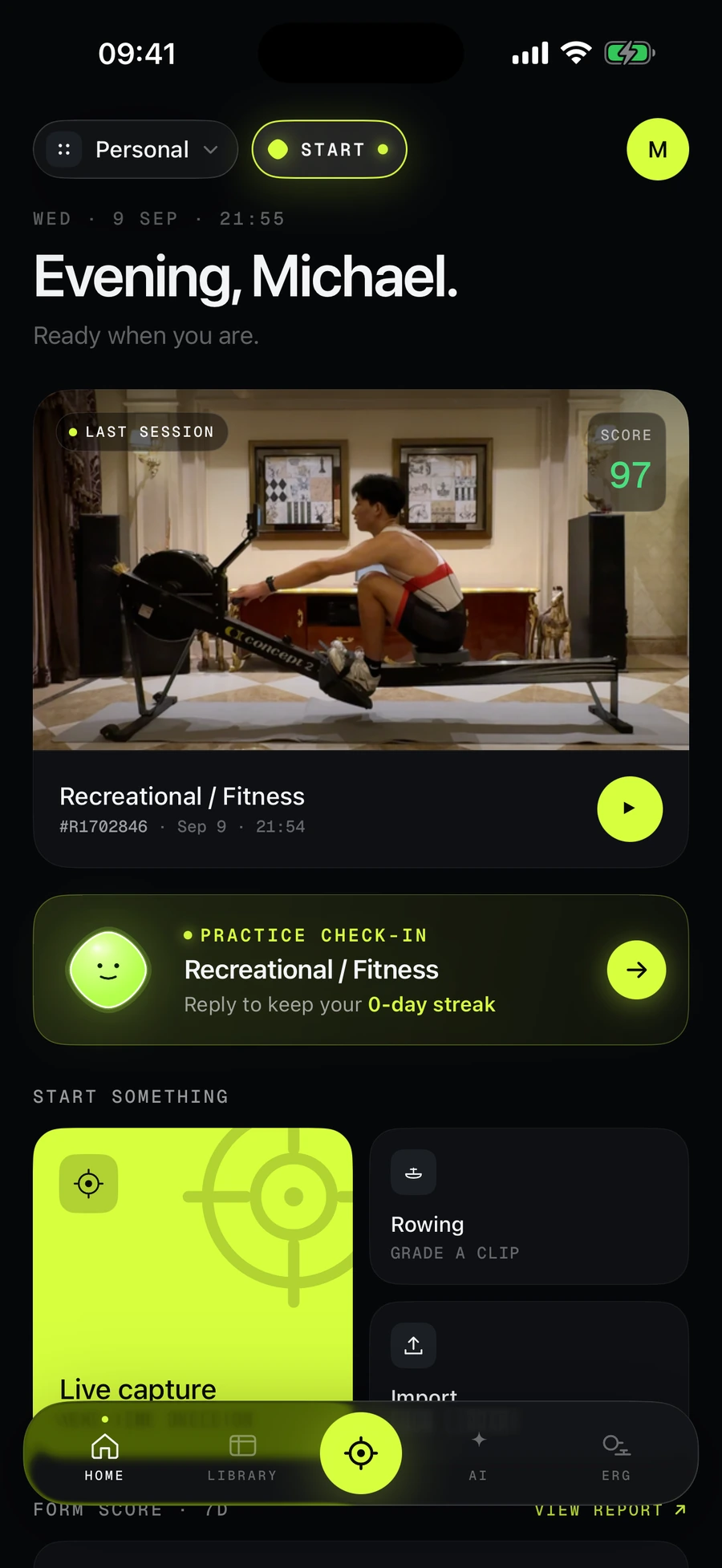
Film it, or import it.
Live capture frames the shot and the trimmer cuts the piece, so a usable clip takes one attempt. Or pick a clip from Photos and skip straight to the grade.
On screen: Home — last session, a practice check-in, and the Live capture, Rowing and Import tiles.
- 02
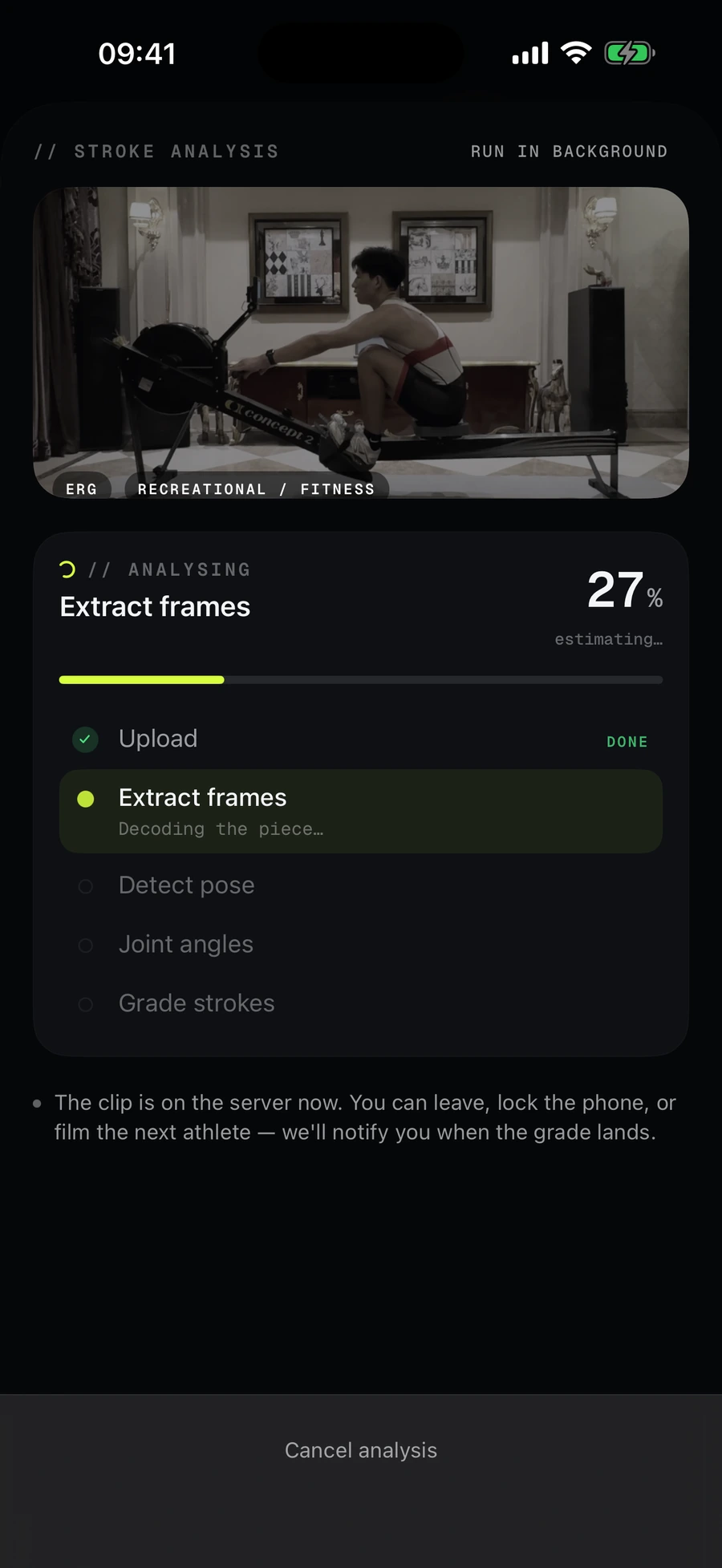
Leave while it grades.
The clip goes to the server and the analysis runs there — lock the phone, film the next athlete, walk away. A push tells you when the score lands.
On screen: Extracting frames, 27 % — and the “Session graded, scored 97” notification that follows.
- 03
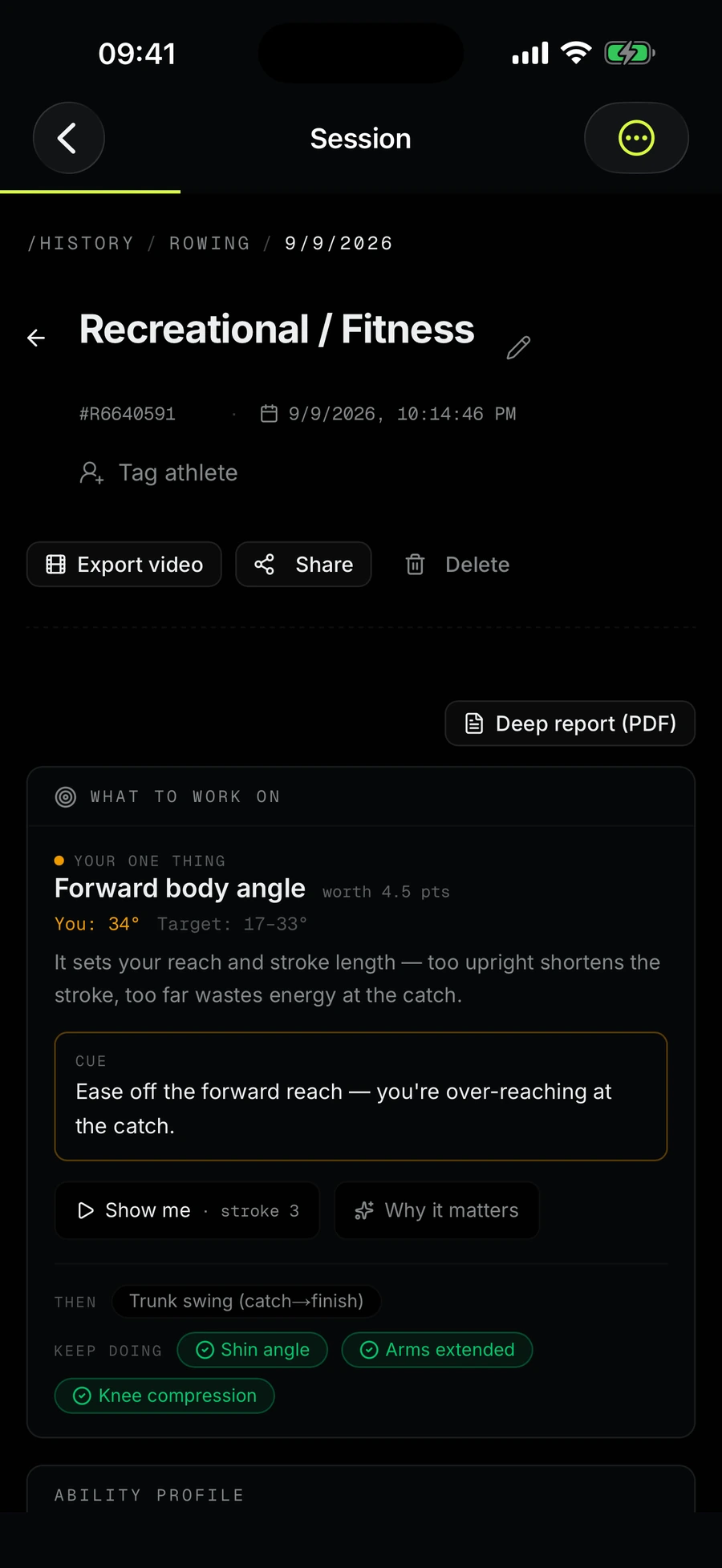
One thing to work on, ranked by points.
Not a list of everything you did wrong. The metric that would gain you the most comes first, with your number, the target band, a cue, and the stroke to watch.
On screen: Forward body angle: you 34°, target 17–33°, worth 4.5 points. “Show me · stroke 3.”
- 04
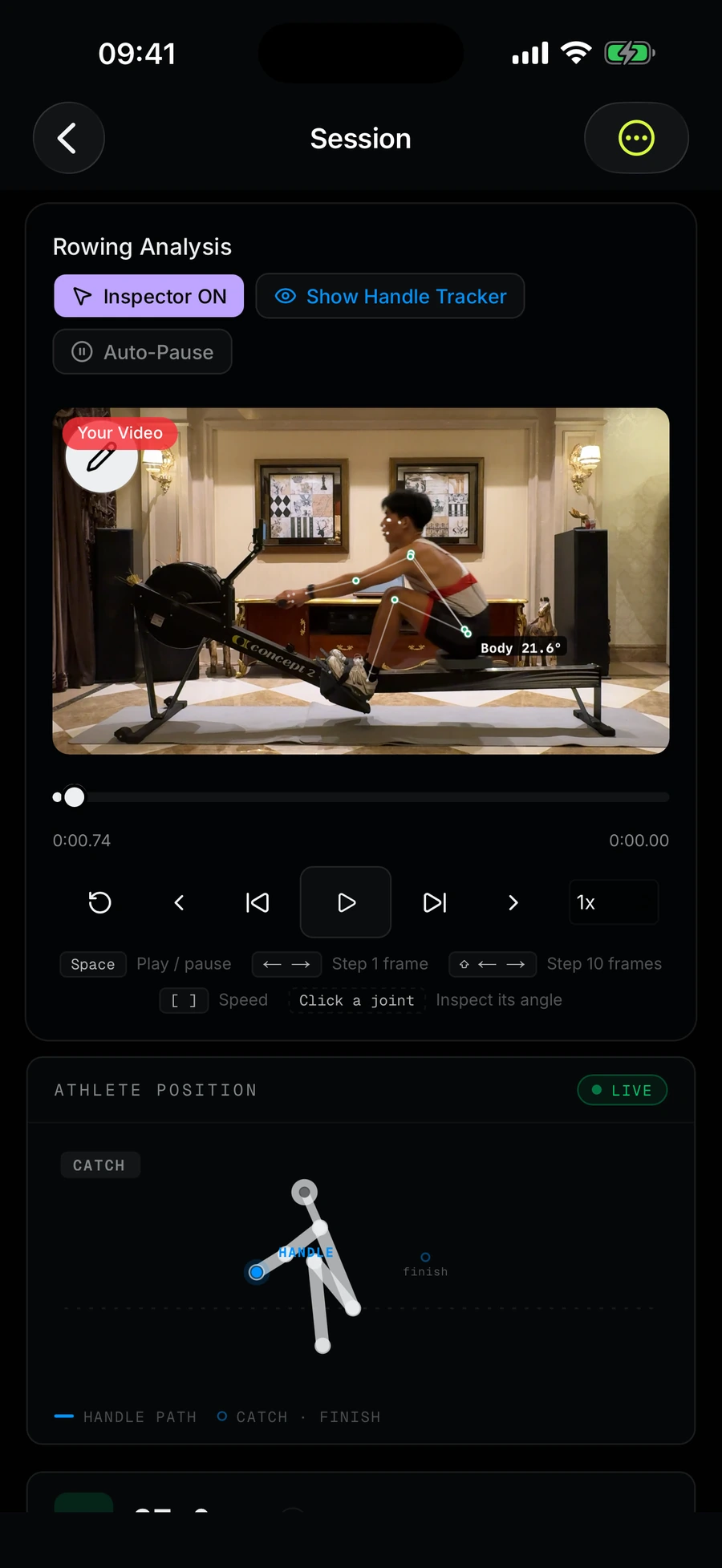
Every number has a frame.
Turn on the inspector and every joint becomes a live readout on the video. Step frame by frame, and the athlete-position figure shows exactly where each angle was measured.
On screen: The rowing video with Inspector on, frame controls, and the catch skeleton beside the handle path.
- 05
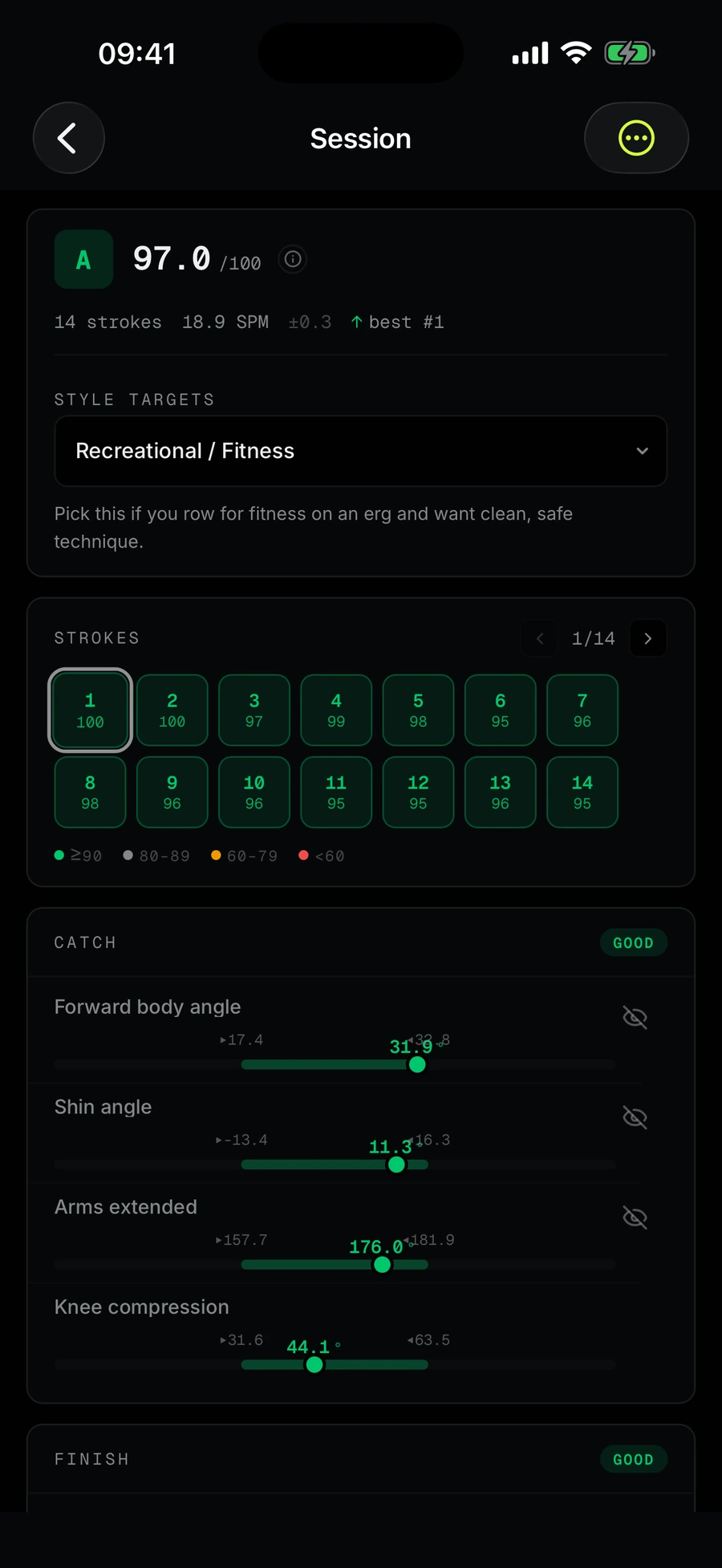
Strokes, side by side.
Fourteen strokes, each scored; catch and finish metrics sit on their target bands so drift across the piece is obvious at a glance.
On screen: 97 / 100, 14 strokes at 18.9 spm, the stroke grid, and catch metrics on their bands.
- 06
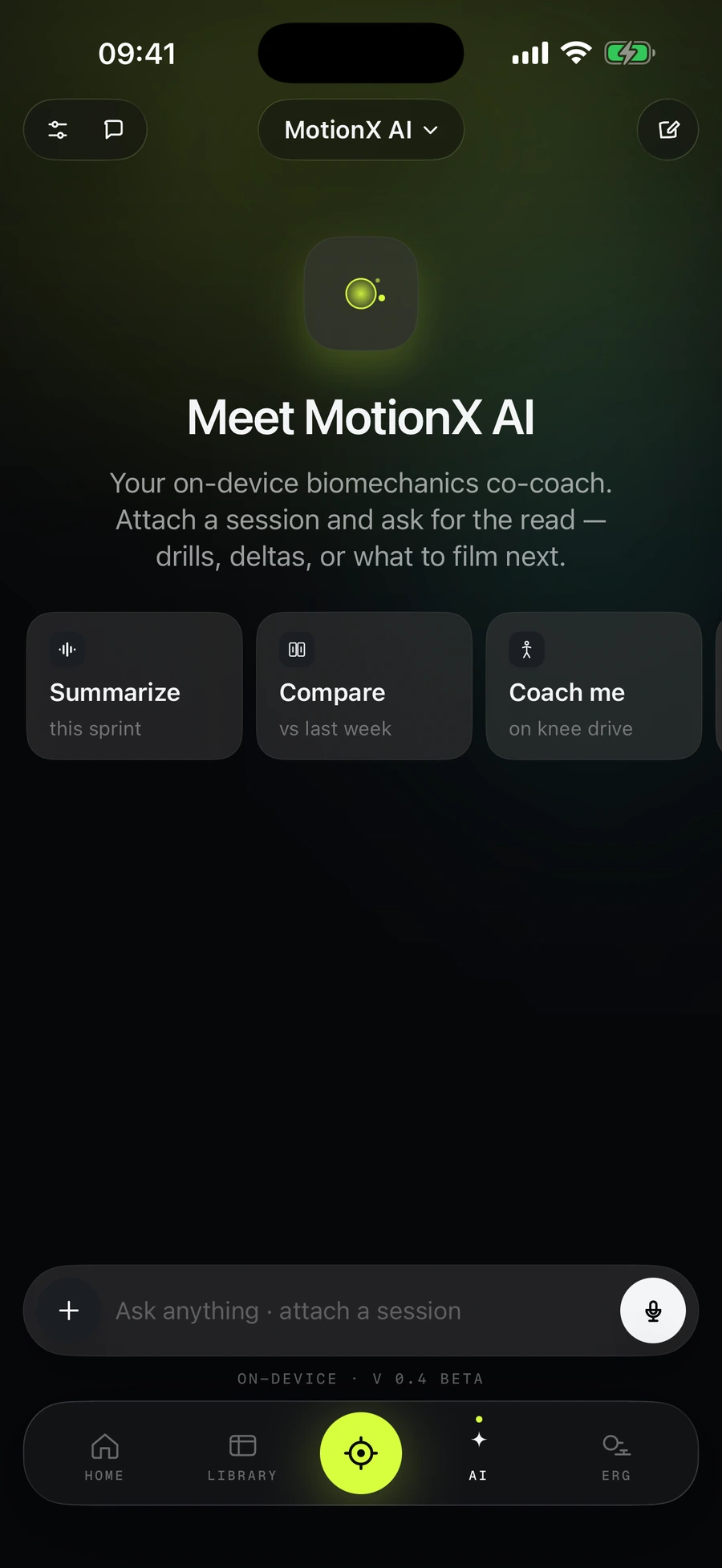
Ask the coach. It reads your session first.
Mocta-X AI answers from your own strokes, angles and history — and shows the data it queried before it wrote a word. Summarise a piece, compare with last week, or ask about one joint.
On screen: Summarize this sprint · Compare vs last week · Coach me on knee drive.
- 07
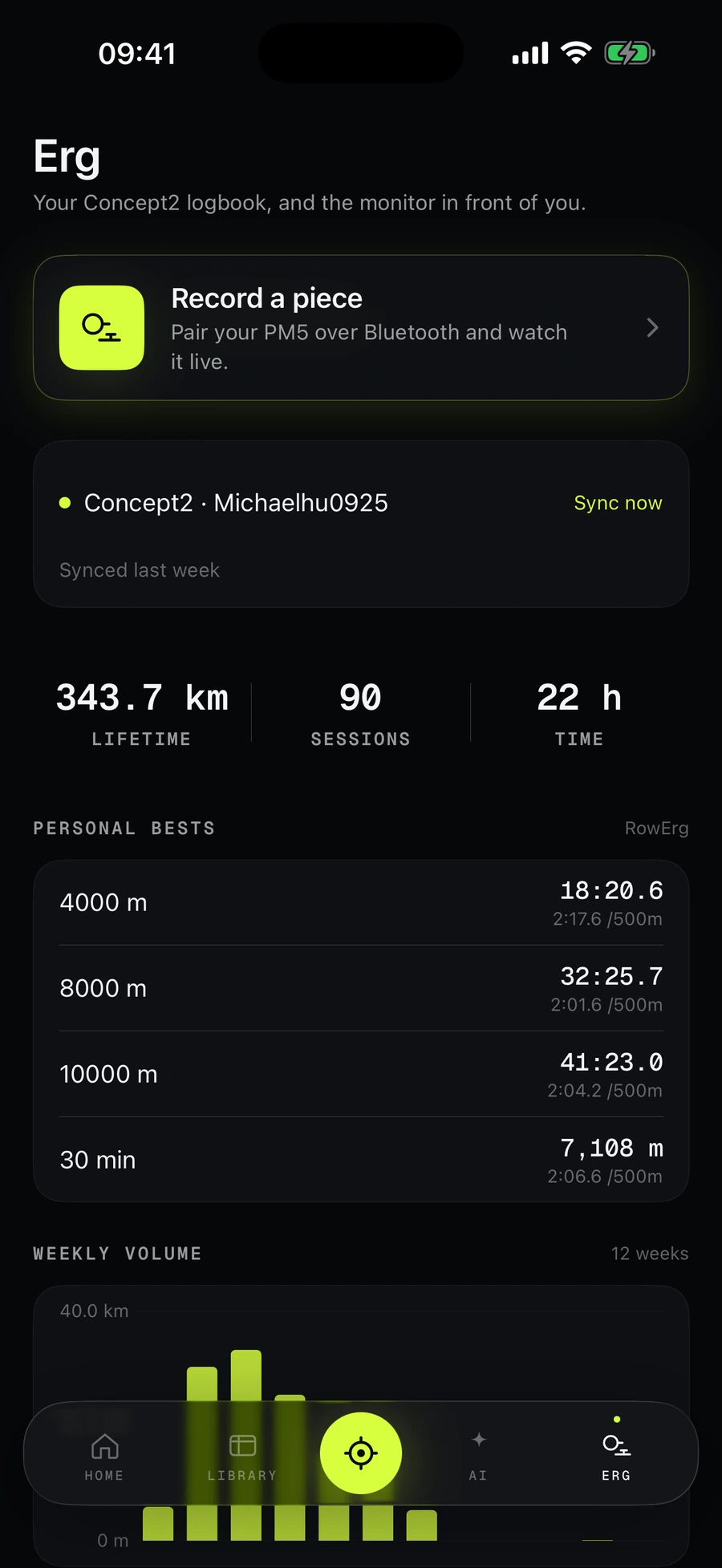
Row with the monitor.
Pair a Concept2 PM5 over Bluetooth and record erg pieces live — splits, rate, distance and heart rate logged next to the video. Connect your Concept2 logbook and the history comes across too.
On screen: Erg tab: Record a piece, Concept2 synced, lifetime 343.7 km, personal bests, weekly volume.
- 08
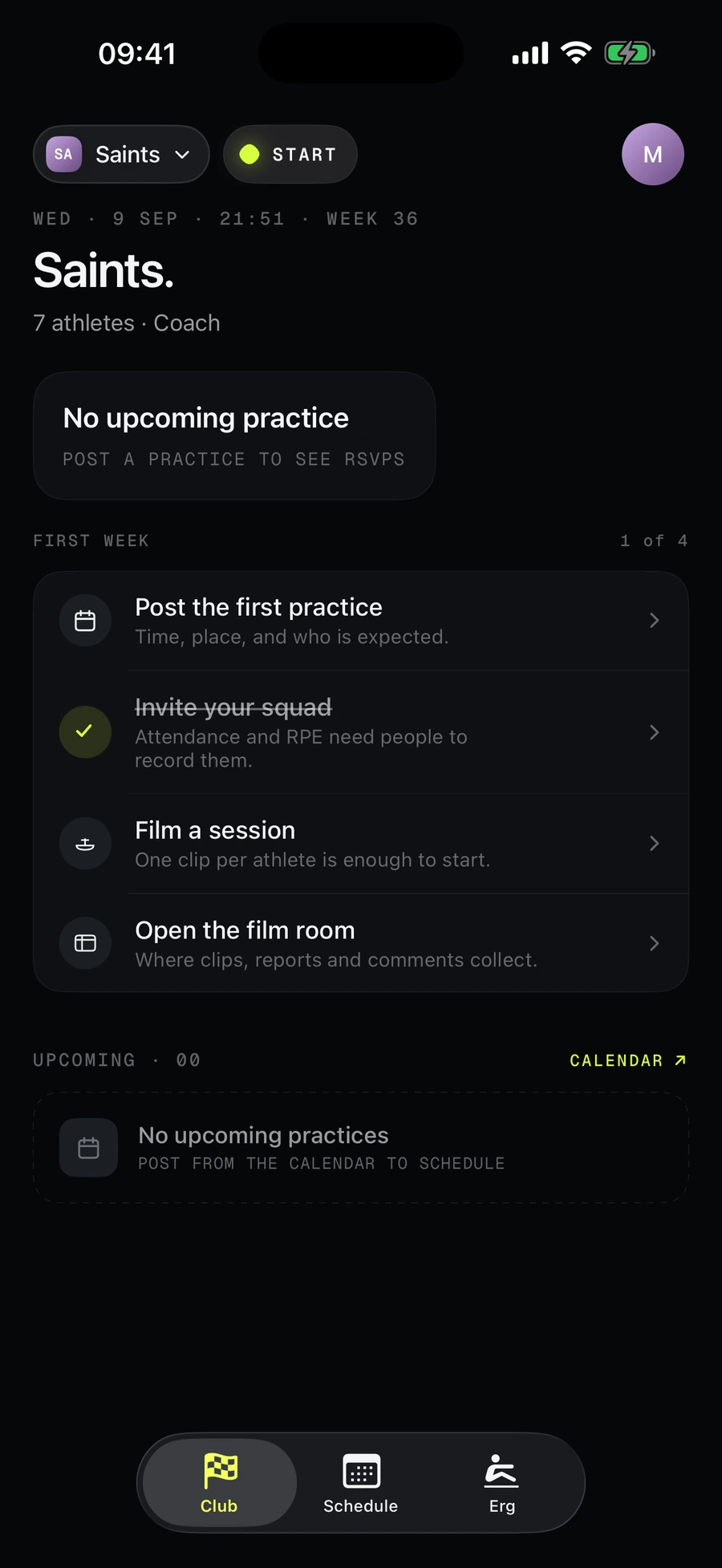
Your club, in the same app.
Join with an invite code. Coaches post practices, take attendance, comment on sessions in their own voice and publish reports; the whole squad shares one film room.
On screen: Club home for a 7-athlete squad with the first-week setup steps.
- 09
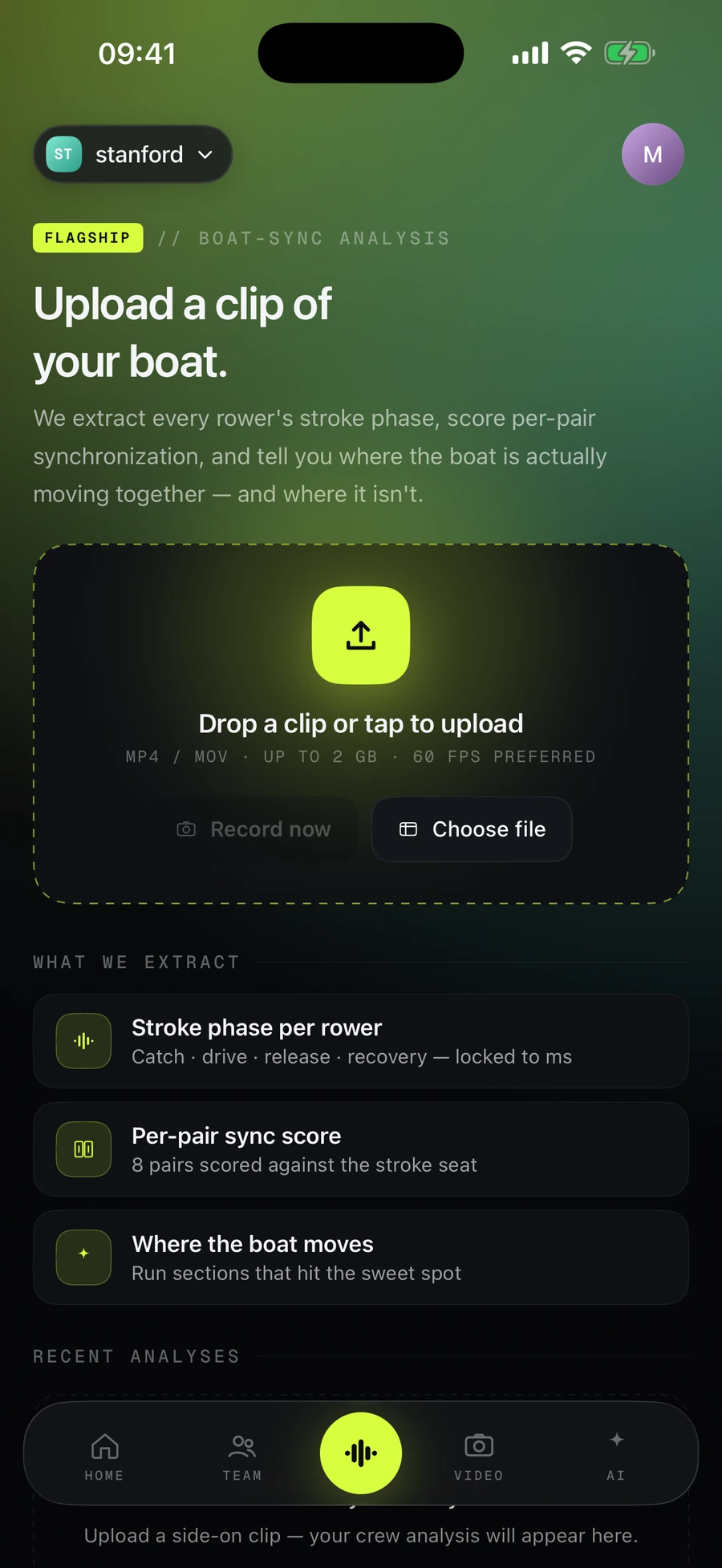
The whole boat, from one clip.
Upload a side-on clip of the crew. Every rower's stroke phase is extracted, each pair gets a synchronisation score, and the app shows where the boat actually moves together.
On screen: Boat-sync: drop a clip, and what gets extracted — phase per rower, per-pair sync, where the boat moves.
Everything in the app.
35 things you can do today. Nothing on this list is “coming soon” — that lives on the changelog.
6 areas · 35 features
Analyse
Rowing is the deepest; the other modes share the same engine.
- Rowing, graded stroke by stroke
- Catch and finish angles, stroke rate and rate spread, drive-to-recovery ratio — measured, not eyeballed.
- Three pillars, scored separately
- Consistency, Durability and Efficiency each get their own number, plus your best and median stroke.
- Style targets
- Recreational, competitive sprint, masters long-distance or technique — pick the reference the grade is measured against.
- Speed and sequence
- When legs, back and arms hit peak speed, and whether the drive and recovery fire in order.
- 3D reconstruction
- Rotate the stroke in a metric world lifted from a single view, or follow the video frame by frame.
- Live capture, wizard and trimmer
- Frame the shot, cut the piece, or import from Photos.
- Image, video and realtime modes
- Two positions compared, two sequences aligned and scored, or a live skeleton straight from the camera.
- Golf, running and volleyball
- Swing and gait analysis, joint angles through the movement, side-by-side against a reference clip.
- Deep report, export and share
- A PDF of the session with stills and every metric; export the annotated video; share a link; tag the athlete.
Coach
Feedback that starts from your numbers, not a template.
- Mocta-X AI
- Attach a session and ask. It queries your strokes, angles and history first and shows the trail — Deep read or Quick.
- Live voice coach on the erg
- With a PM5 paired it talks to you while you row, reading your split, rate, heart rate and target.
- One thing to work on
- The metric worth the most points, your number against the band, a cue, and the stroke to watch.
- Coach comments
- Your club coach reviews the session and publishes feedback; you get a push the moment it lands.
- Check-ins and streaks
- Log how a practice felt in one tap and keep the streak going.
Erg & Concept2
The monitor in front of you, and the logbook behind it.
- Concept2 PM5 over Bluetooth
- Record erg pieces live — splits, rate, distance and heart rate logged beside the video.
- Records while the screen is locked
- A 7-minute piece with the phone face down still records; the app keeps the Bluetooth link in the background.
- Concept2 logbook sync
- Connect once and the workouts already in your logbook come across, splits and all.
- Personal bests and volume
- 4000 m, 8000 m, 10 000 m and 30-minute bests, lifetime totals, and a weekly volume chart.
Club
One app for the squad, the coach and the boathouse wall.
- Join with an invite code
- Personal and club spaces in one account; switch at the top of Home.
- Practices, RSVPs, lineups, attendance
- Coaches post practices and take attendance; athletes see who is expected.
- Film room and library
- Every session the club has recorded, whoever filmed it — with athlete folders, filters and share links.
- Boat-sync
- One clip of the crew → stroke phase per rower, a sync score per pair, and where the boat moves together.
- Chat and direct messages
- A channel per squad, DMs from the roster, unread dots and pushes.
- Reports
- Coaches publish deep-report PDFs to the athlete and the club.
- Test-event capture stations
- A phone at each erg feeds a live public leaderboard for spectators.
Trust
If the app cannot measure it honestly, it says so.
- Every number is traceable to a frame
- Tap a metric to see where on the body it was measured and which stroke it came from.
- Capture-quality gates
- Too dark, too far, too short, legs hidden behind the rigger — the analysis flags it instead of inventing a score.
- Scoring guide, in-app
- What each metric measures and how it is weighted, one tap from any score.
- Keep the footage on the phone
- Settings → Pose model runs the pose extraction on-device so only joint positions are uploaded.
- Your history stays yours
- Past pieces, PDF reports, the training log and the streak, in one place, exportable and deletable.
Platform
A native app, sharing one account with the web.
- Same account as Mocta-X Dashboard
- Sessions, reports and club membership sync; start on the phone, review on a laptop.
- Sign in with Apple, Google, phone or email
- Phone-number sign-in works for +86 numbers too.
- English and 简体中文
- Switch in Settings without restarting.
- Light and dark
- Follows the system or your choice.
- iPhone, iOS 18.5 or later
- Distributed through TestFlight while in beta; free during the beta.
15 more screens.
Hover to pause.
Welcome
Home
Grading on the server
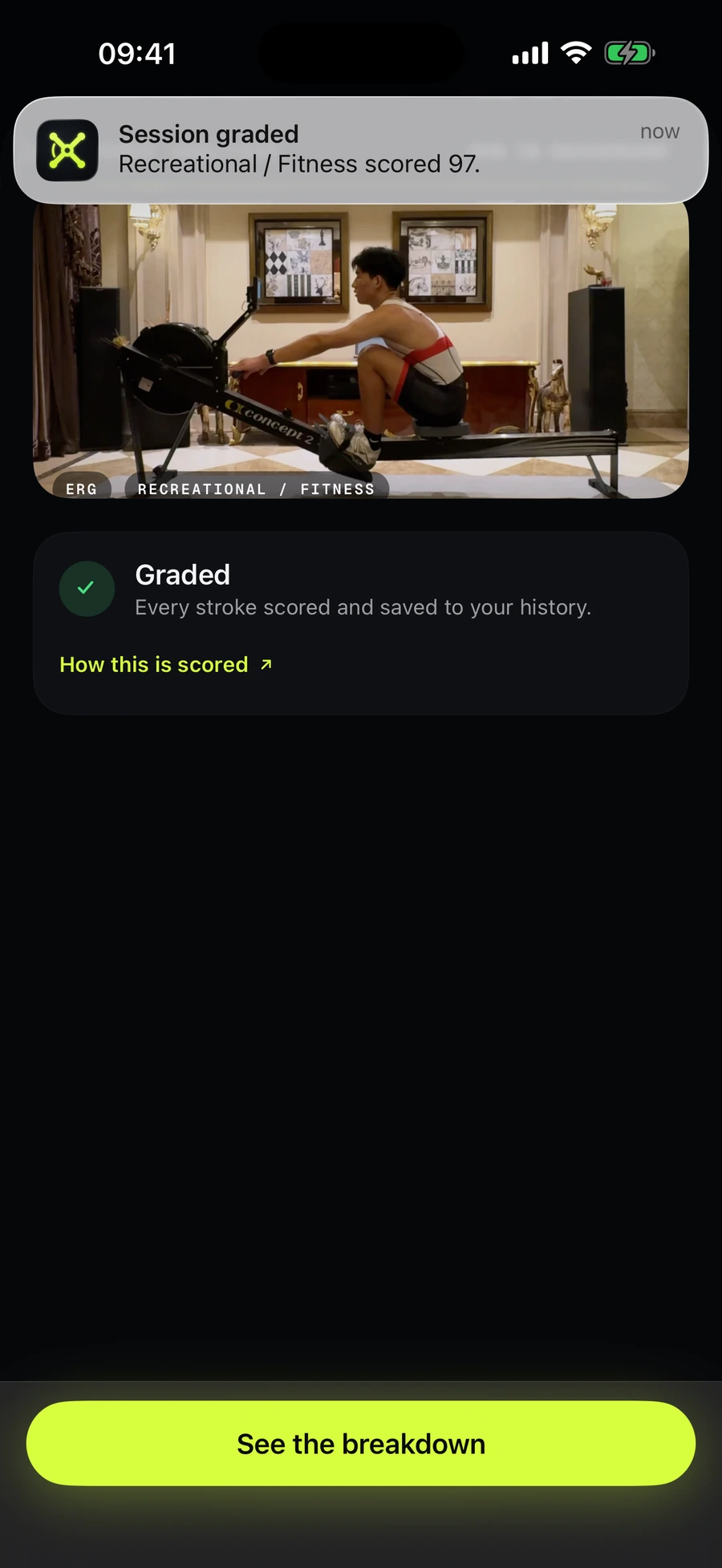
Graded — push
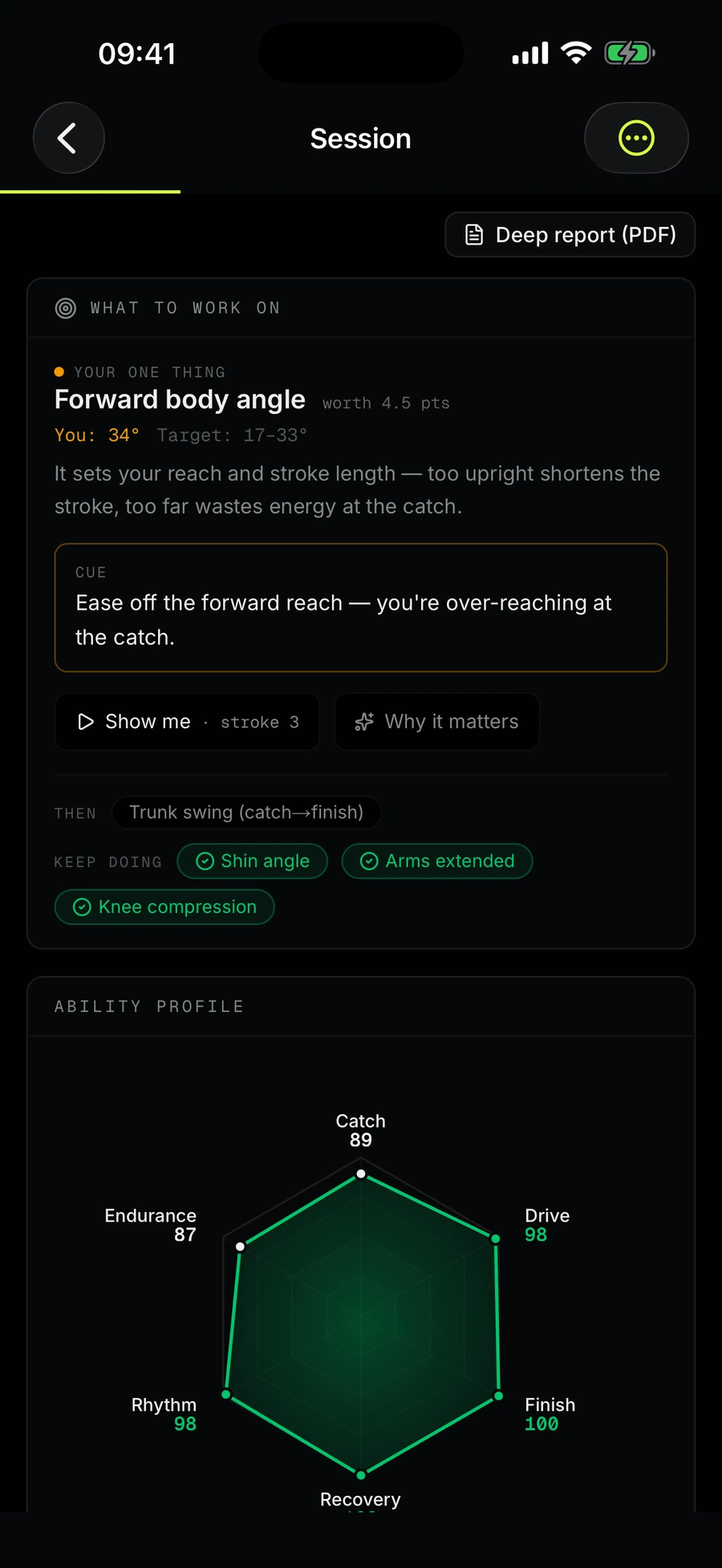
What to work on
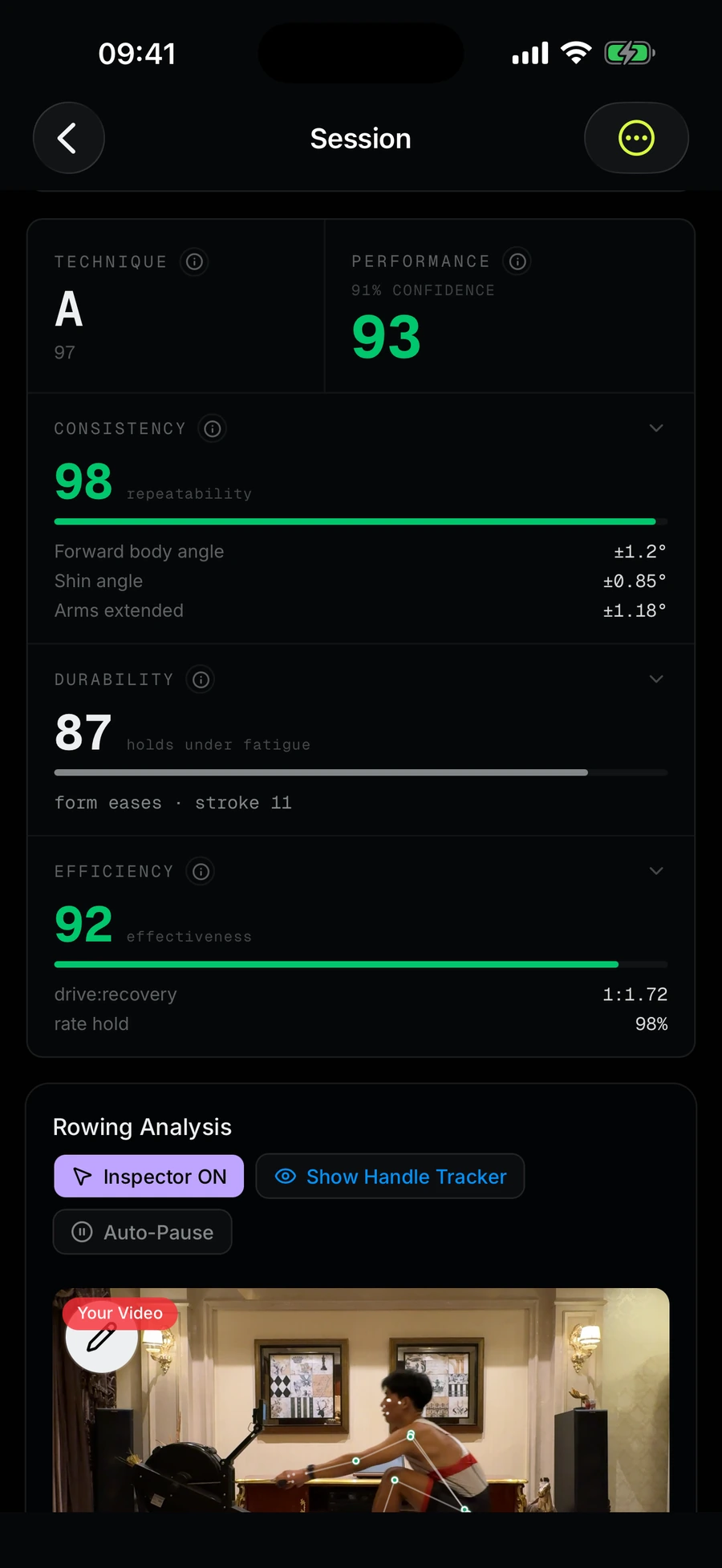
Technique & performance
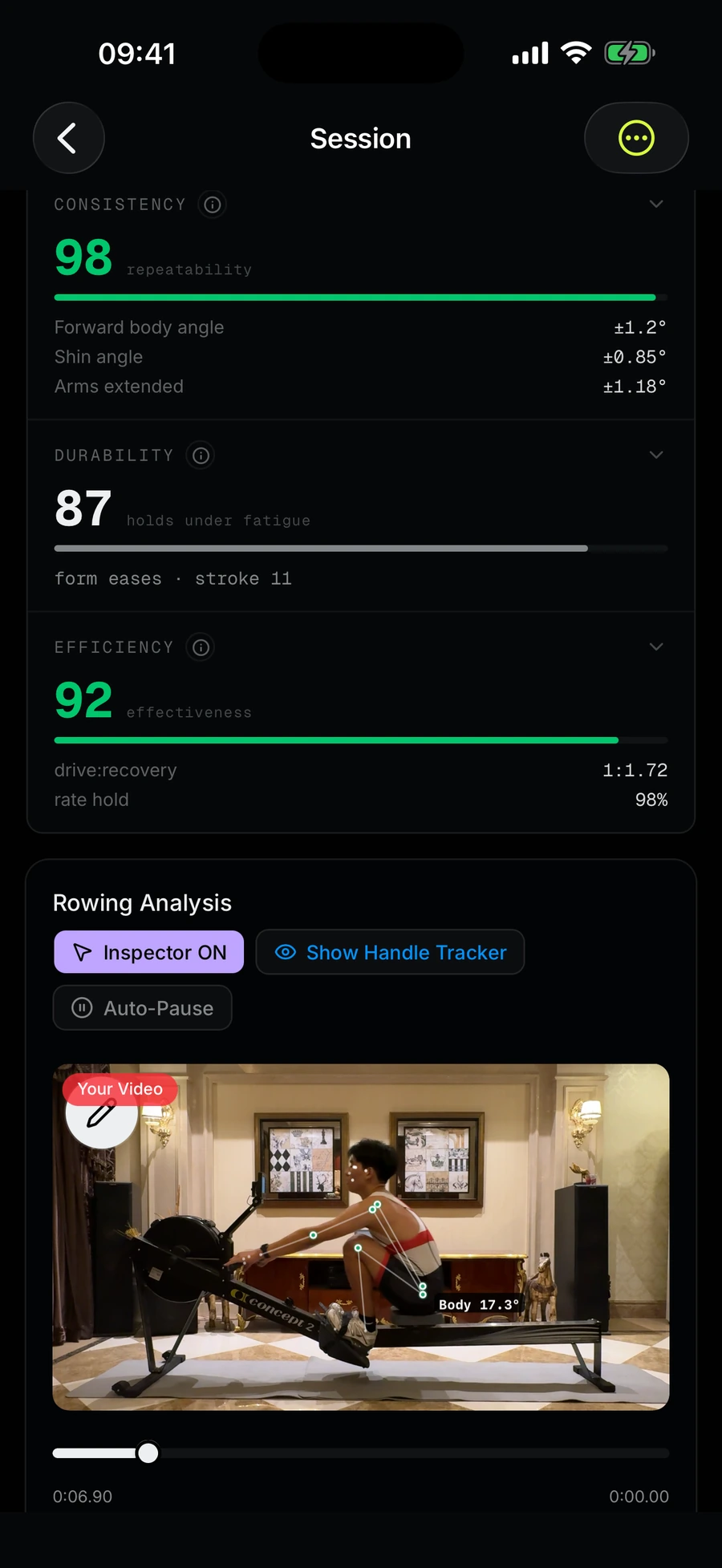
Session, inspector on
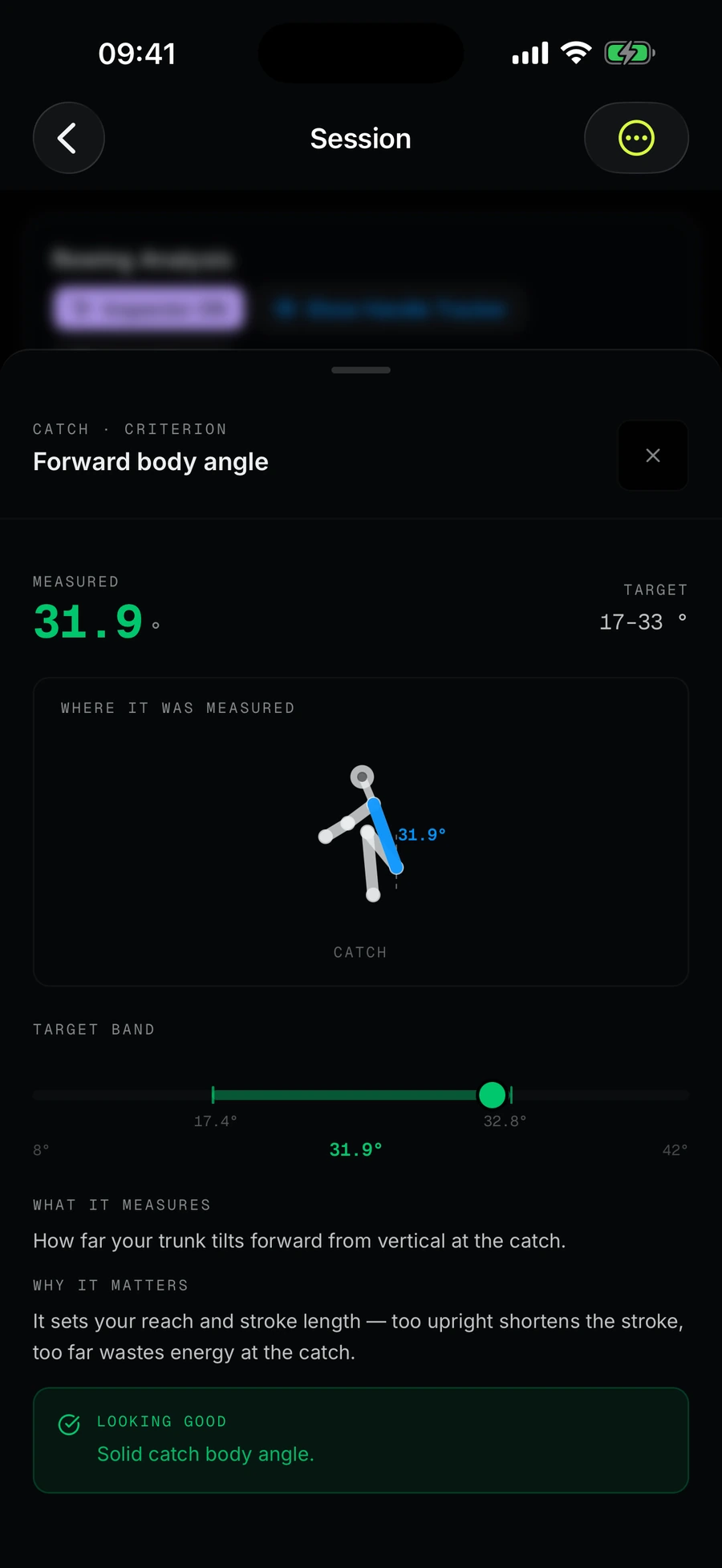
One metric, explained
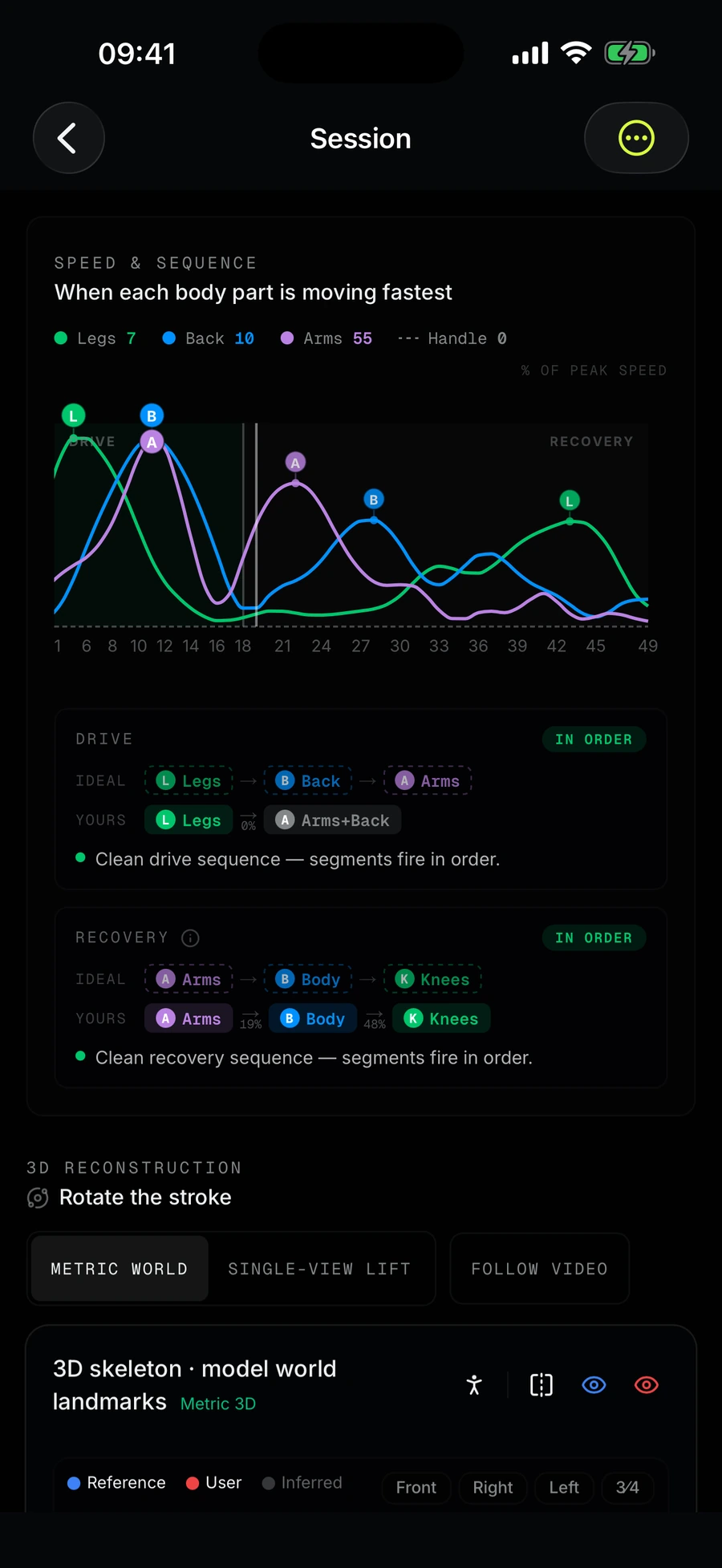
Speed & sequence, 3D
Mocta-X AI
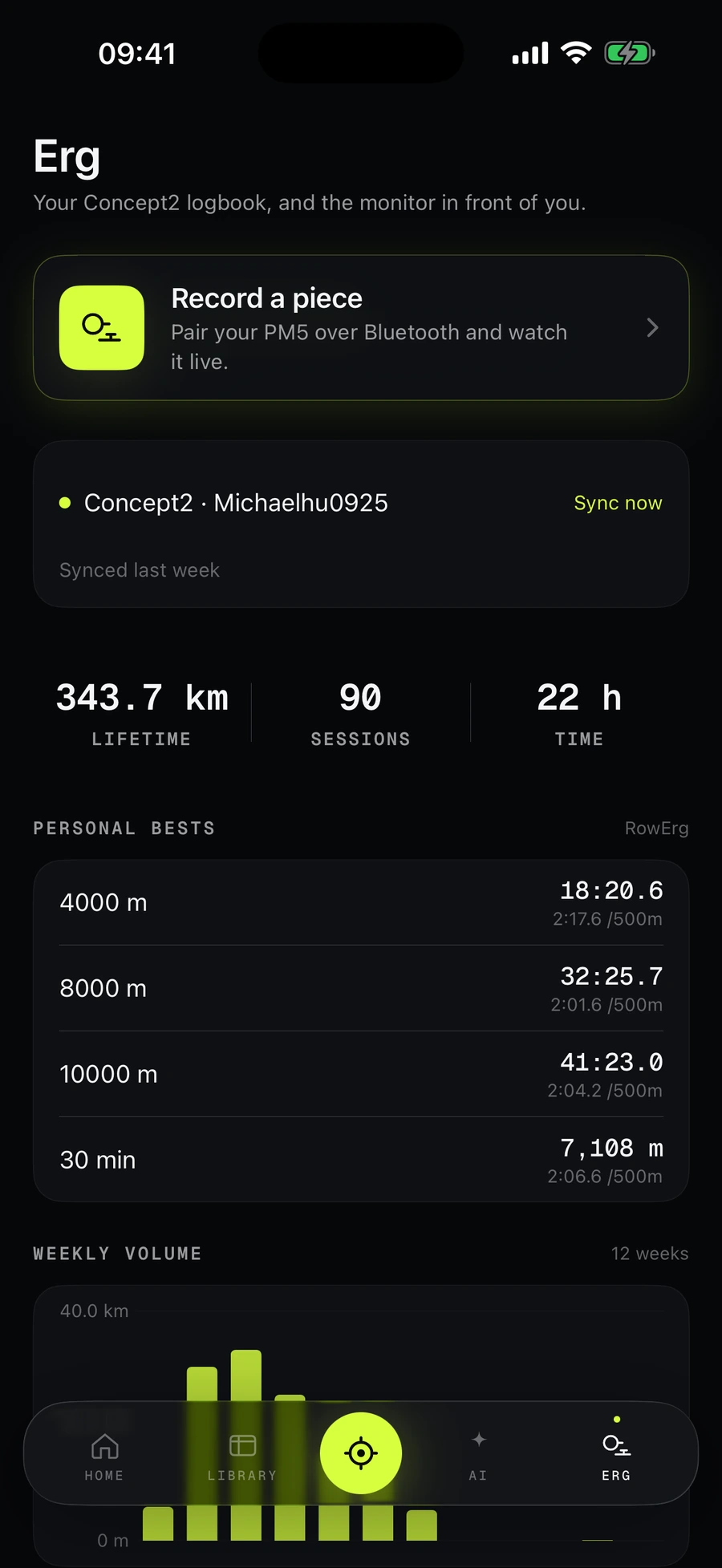
Erg — personal bests
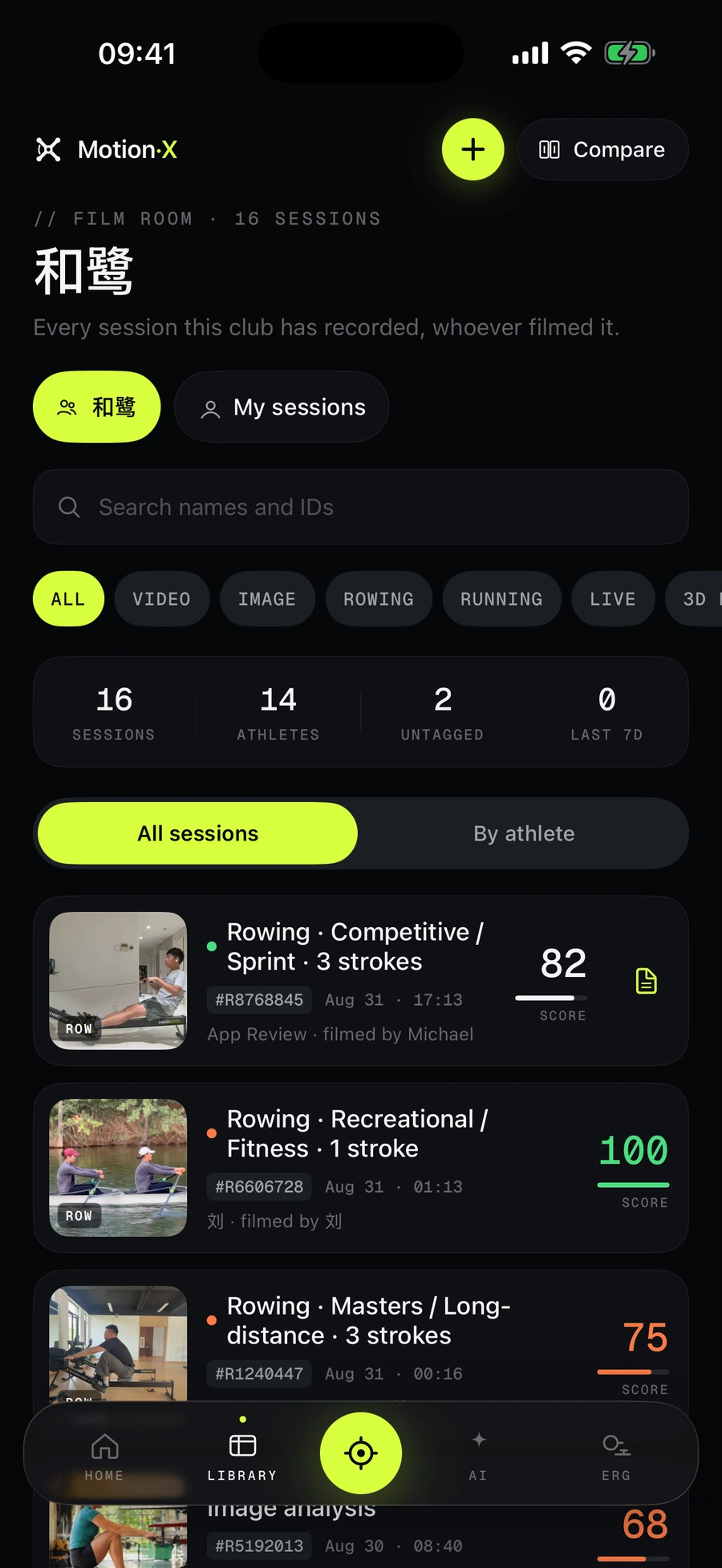
Club film room
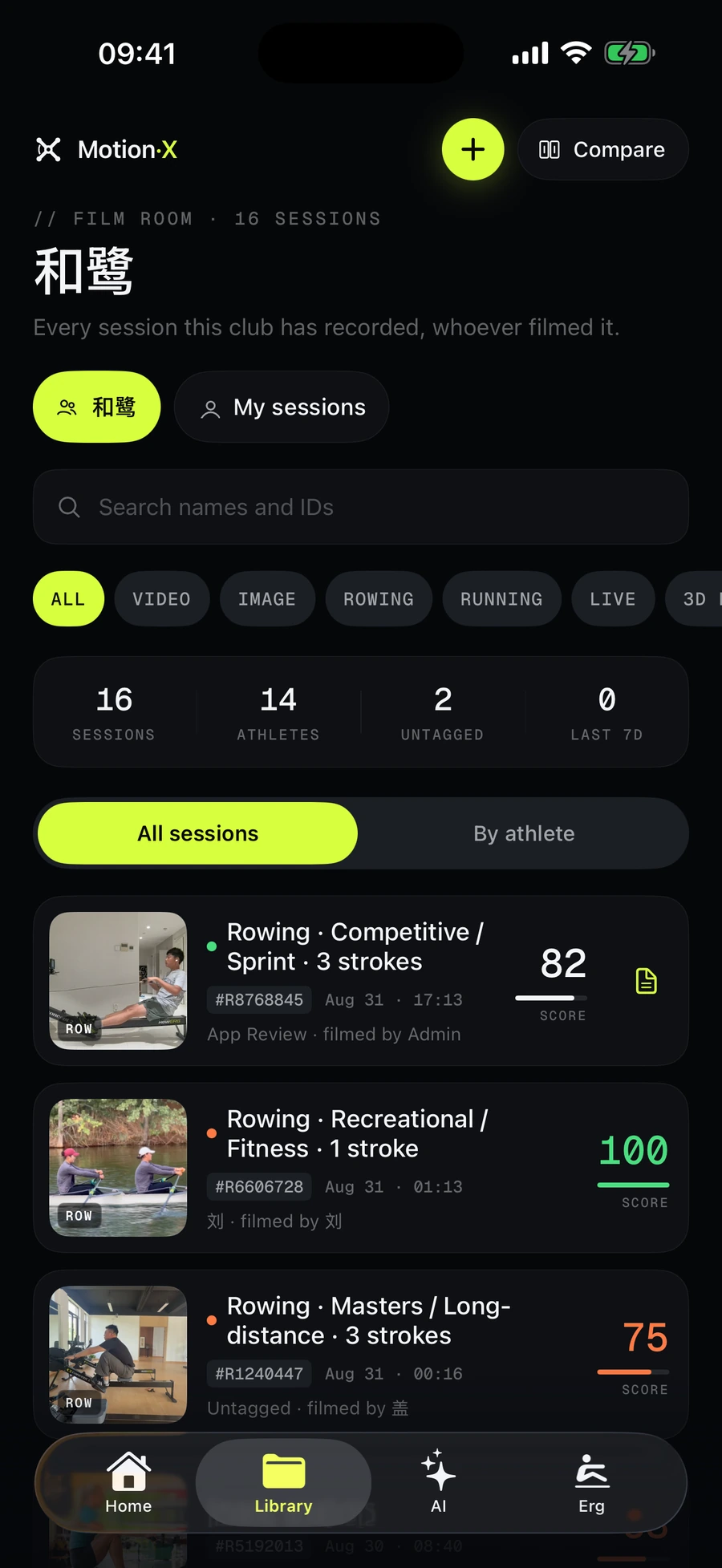
Library
Boat-sync
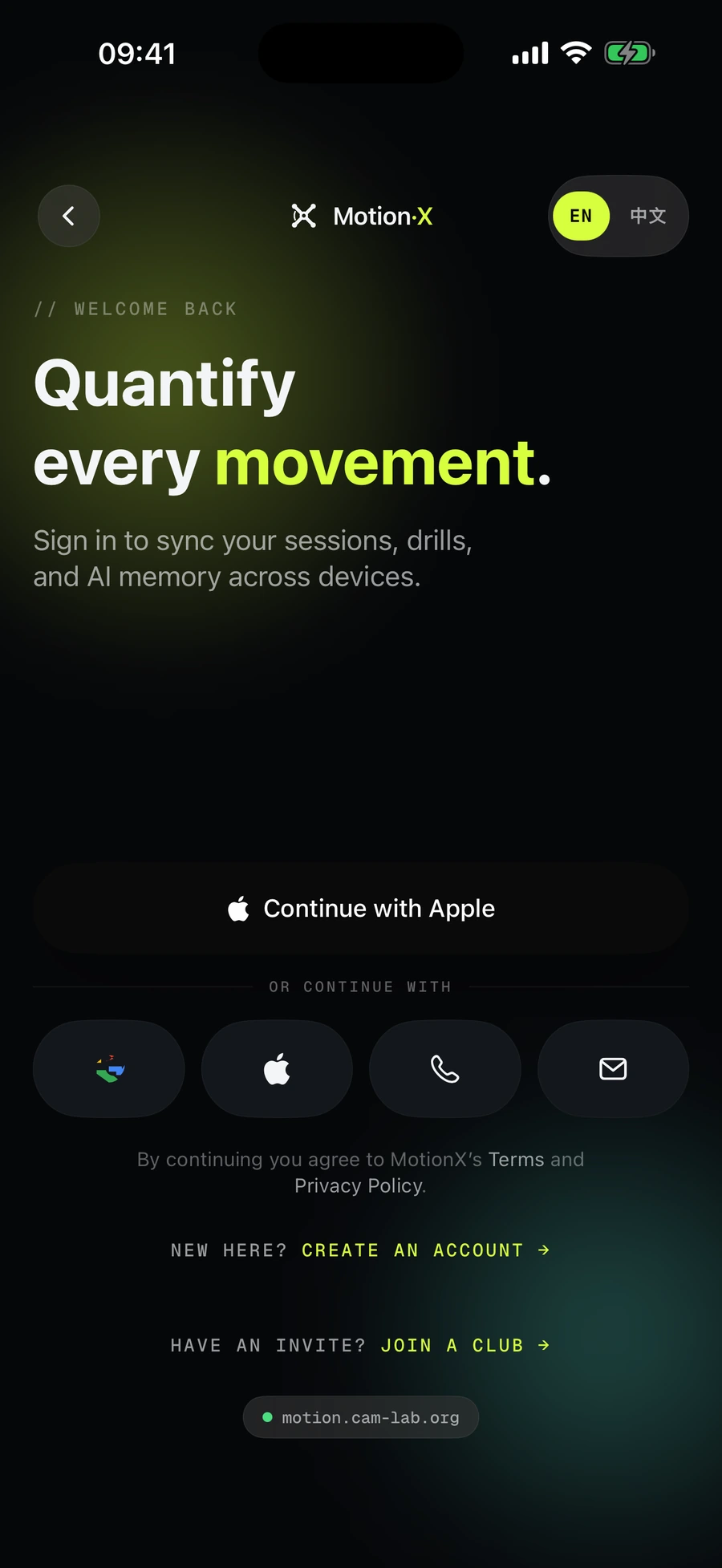
Sign in your way
Get the beta.
Mocta-X is distributed through TestFlight while it is in beta. It is free, it takes two minutes to install, and you can leave whenever you like.
- 1Install TestFlightApple's beta app, free on the App Store.
- 2Open the invite linkIt opens in TestFlight and installs the current build.
- 3Sign in — or create an accountApple, Google, phone number or email. Same account as the web.
- 4Film a piece20–30 seconds is plenty. Or open Demos and replay a real session without filming anything.
https://testflight.apple.com/join/vJXx1SuZ
Worth knowing before you start
- Analysis runs on our server, so the clip has to upload. On a weak boathouse signal, give the progress bar a moment.
- Notifications are requested once your first analysis finishes, not on launch.
- Club features need an invite code from a coach. Everything else works from a fresh account.
- Beta builds record anonymised, unblurred screen sessions so we can see where the app confuses people. Email us and we will move you to a build that does not.
September 2026 · v1.3
The beta opens up
Mocta-X 1.3 is on public TestFlight. This month's builds add club chat, a coach that shows its investigation, a voice coach that reads the erg, and a rebuilt welcome flow.
Full iOS changelog- NewPublic TestFlight
Anyone with an iPhone can install the beta from the link — no invite from a coach needed to try rowing, running or golf analysis. Free while in beta.
- NewA coach that shows its investigation
Ask Mocta-X AI about a session and watch it query your strokes, angles and history before it answers. Choose a Deep read or a Quick one; the trail is saved with the reply and the answer cites the stroke.
- NewLive voice coach on the erg
With a PM5 paired, the coach talks to you while you row. It can see your split, rate and heart rate, your target split and the rowing rubric, and stays quiet when there is nothing worth saying.
- NewClub chat and direct messages
A channel per squad, direct messages from the roster, unread dots on the Team tab, and a push when someone writes to you.