Home Assessment
See your own movement measured, in the room you train in, with the phone you already have.
A first look, no sign-up
Open the try page, pick an example clip or drop your own, and a skeleton and a form score come back in seconds. Sign up and the same clip gets the full grade: phases, target bands, the one thing to work on, and a coach that reads it before it speaks.
- Try page with example clips — golf, squat, baseball — and no account
- Realtime practice: a live skeleton from your webcam, in the browser, nothing uploaded
- Image vs image for a static position; video vs video for a movement
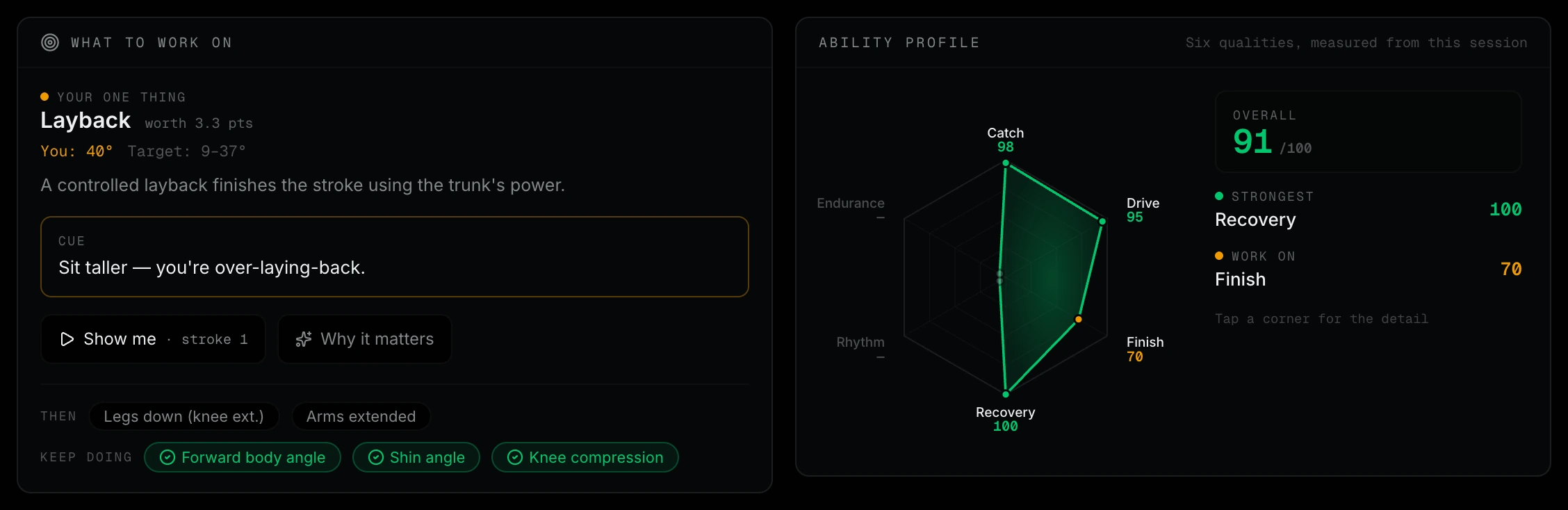
- Rowing, running and golf graded against a rubric with published weights
- Angles shown on the frame they came from — click a joint to inspect it
- The iPhone app films, trims and grades in one flow, with an on-device pose option
Three ways in
From a five-second look to a full grade.
Try it in five seconds
The try page runs a short clip through pose tracking and gives a form score and one coaching cue. No sign-up; it is the fastest way to see what the tracking looks like on you.
Realtime in the browser
Point a laptop camera at yourself and watch the skeleton and angles update live. The model runs in your browser; free sessions are two minutes, Pro ten.
The full grade
Upload a side-on clip, or film it in the iPhone app, and get phases, bands, a stroke-by-stroke breakdown and the coach's read.
What you actually get
Who this is for
Anyone curious about their form
You have a phone and a wall to lean it against. That is the whole setup.
Families and small groups
A parent filming a junior rower, a running club meeting once a week, friends comparing a squat — the comparison tools work on anyone in the frame.
Students and teachers
A visible skeleton and measured angles make biomechanics concrete. The methodology page explains what the numbers mean and where they break.
See your form on camera.
Start on the try page with no account, then open the dashboard for the full grade.
Open Mocta-X Dashboard